Compress PDF Files Online
Reduce PDF file size quickly and easily. Choose your required PDF size and compress your file online.
Compress PDF
Compress PDF files and reduce their file size while keeping them easy to use.
Compress PDF 150KB
Reduce your PDF file size to a target of 150KB for easy uploading and sharing.
Compress PDF 200KB
Compress your PDF to a 200KB target size for forms, applications and uploads.
Compress PDF 300KB
Reduce your PDF file size to a target of 300KB quickly and easily.
Compress PDF 400KB
Compress PDF files to a 400KB target size for convenient online use.
Compress PDF 500KB
Reduce your PDF file size to around 500KB while making it easier to upload.
Compress PDF 1MB
Compress your PDF to a target size of 1MB for websites, forms and online applications.
Fast & Easy PDF Compression
Choose your required file size and compress your PDF quickly. These tools are designed to work smoothly on desktop, tablet and mobile devices.
Compress PDF Online – Reduce PDF File Size
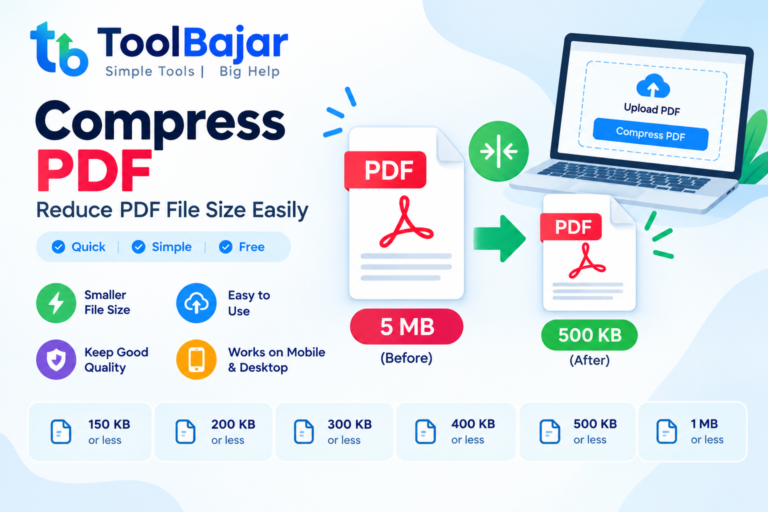
Large PDF files can be difficult to upload, share, email, or store. Many websites and online application forms also have specific file-size limits, such as 150KB, 200KB, 300KB, 500KB, or 1MB.
A Compress PDF tool helps reduce the file size of a PDF while keeping the document as readable as possible. PDF compression can be useful for job applications, government forms, college admissions, online registrations, email attachments, and document sharing.
In this guide, you will learn how to compress PDF files and how to reduce a PDF to specific sizes such as 150KB, 200KB, 300KB, 400KB, 500KB, and 1MB.
Compress PDF Online ToolBajar
Compress PDF means reducing the size of a PDF document.
For example, if your original PDF is 5MB, you may want to reduce it to a smaller size before uploading it to a website.
PDF file size can depend on several factors, including:
- Number of pages
- Images inside the PDF
- Image resolution
- Scan quality
- Fonts
- Embedded objects
- Document structure
A PDF containing high-resolution scanned images is usually much larger than a simple text-based PDF.
How to Compress PDF using Toolbajar
Compressing a PDF is usually a simple process:
- Open a PDF compression tool.
- Select or upload your PDF file.
- Choose the required compression level or target size if available.
- Start the compression process.
- Download the compressed PDF.
- Check the final file size and document quality.
If you have a specific upload limit, always check the final file size before submitting the document.
Compress PDF to 150KB
If a website requires a PDF file to be 150KB or smaller, you may need strong compression, especially if the original document contains scanned images.
A typical workflow is:
Original PDF → Compress PDF → Check file size → Download
Reaching exactly 150KB is not always possible because the final size depends on the PDF’s contents.
Text-based PDFs can often be reduced significantly, while image-heavy PDFs may require more aggressive optimization.
Compress PDF to 200KB
A 200KB PDF limit is another common requirement for online forms and document uploads.
If your PDF is larger than 200KB, compress it and then check the resulting file size.
For scanned documents, reducing image resolution and optimizing embedded images can have a significant effect on the final size.
Always open the compressed document before uploading it to make sure the text and important information remain readable.
Compress PDF to 300KB
If you need to compress PDF to 300KB, first determine the current size of the document.
For example:
Original PDF: 2MB → Compression → PDF below 300KB
The amount of compression required depends on the document.
A PDF containing mostly text may become relatively small, while a PDF containing multiple high-resolution photographs may still be larger after compression.
Compress PDF to 400KB
Some online forms specify a maximum PDF size of 400KB.
To meet this requirement, you can compress the PDF and check the final size.
If the first compression attempt is still above 400KB, a stronger compression setting may be required.
However, excessive compression can reduce the quality of scanned pages and images, so always check the final document.
Compress PDF to 500KB
A 500KB PDF limit can be useful when an application portal allows only a small document upload.
For example, you may have a 3MB scanned certificate or application document that needs to be reduced below 500KB.
The basic process is:
- Select the PDF.
- Compress the document.
- Check the resulting size.
- If necessary, compress it again using a stronger setting.
- Open the final PDF and check readability.
Compress PDF to 1MB
A 1MB PDF is a common target when an online portal has a 1MB file-size restriction.
If your PDF is 4MB or 5MB, compression may significantly reduce the file size.
For example:
5MB PDF → Compress → PDF under 1MB
The final size depends on the original document, particularly the number and quality of images inside it.
Compress PDF Without Losing Quality
It is difficult to guarantee zero quality loss when reducing a PDF’s size, especially when the PDF contains images.
However, good PDF compression attempts to maintain readable text and acceptable image quality while reducing unnecessary file data.
For documents such as:
- Certificates
- Mark sheets
- Identity documents
- Application forms
- Scanned pages
make sure the compressed document remains clear enough to read before uploading it.
Compress Scanned PDF
Scanned PDFs are often much larger than text-based PDFs because every scanned page may contain a high-resolution image.
If you scan a document at a very high resolution, the resulting PDF can become several megabytes in size.
Compression can reduce the size by optimizing those images.
For better results, avoid unnecessarily high scan resolutions when creating documents in the first place.
Compress PDF for Online Forms
Many online application forms specify a maximum document size.
For example, a portal may require:
- PDF under 150KB
- PDF under 200KB
- PDF under 300KB
- PDF under 500KB
- PDF under 1MB
Before uploading, check the exact requirement shown by the website.
If the compressed file is still larger than the allowed limit, you may need stronger compression or a different document-scanning setting.
Compress PDF for Job Applications
Job applications may require resumes, certificates, experience documents, or other files to stay within a specific size limit.
A large scanned certificate can be compressed before uploading it to an application portal.
Make sure the final document is still readable, particularly if the employer requires clear copies of certificates or identification documents.
Compress PDF for Government Forms
Government and public-service websites may have strict file-size requirements.
If the website specifies a maximum size, such as 200KB, 300KB, 500KB, or 1MB, the PDF needs to stay within that limit.
Always follow the specific instructions displayed on the official application website because requirements can vary between forms.
Compress PDF on Mobile
You can compress PDF files from a smartphone if the PDF compression tool supports mobile browsers.
The general process is:
- Open the PDF compressor on your phone.
- Select the PDF from your device.
- Choose the compression option.
- Compress the document.
- Download the smaller PDF.
- Check the file size before uploading.
This is useful when documents are stored in your phone’s Downloads or Files folder.
Compress PDF on Windows
Windows users can compress PDFs from a browser or with desktop PDF software.
A browser-based tool can be convenient when you only need to reduce a PDF occasionally and do not want to install additional software.
After compression, check both the file size and document quality.
Why Is My PDF Still Large After Compression?
Sometimes a PDF remains large even after compression.
This can happen when:
- The PDF contains many images.
- Images have very high resolution.
- The document has many pages.
- The PDF contains scanned photographs.
- The original PDF has already been compressed.
- The document contains embedded objects or other large resources.
If the file is still above your required limit, you may need stronger compression or need to reduce the image resolution before creating the PDF.
What Is the Difference Between Compress PDF and Reduce PDF Size?
Both terms generally refer to reducing the file size of a PDF.
Compress PDF is the common term used for tools that optimize PDF files and reduce their size.
Reduce PDF size describes the same general goal: creating a smaller PDF that is easier to upload, share, or store.
Frequently Asked Questions
What is Compress PDF?
Compress PDF means reducing the file size of a PDF document while trying to maintain acceptable readability and quality.
How can I compress a PDF?
Select your PDF in a PDF compression tool, choose an appropriate compression level, process the file, and download the compressed document.
Can I compress a PDF to 150KB?
It may be possible depending on the document. Image-heavy PDFs may require significant quality reduction to reach 150KB.
Can I compress a PDF to 200KB?
Yes, you can try compressing the PDF and checking its final size. The achievable size depends on the document’s content.
How do I compress a PDF to 300KB?
Use a PDF compression tool and select an appropriate compression level. If the result is still above 300KB, stronger compression may be necessary.
Can I compress PDF to 400KB?
Yes. Compress the PDF and check the resulting file size. The final size depends on the number of pages and content.
How can I compress PDF to 500KB?
Compress the document and check its final size. If necessary, use a stronger compression setting while checking that the document remains readable.
Can I compress PDF to 1MB?
Yes. If your PDF is larger than 1MB, compression can reduce its size. The amount of reduction depends on the original PDF.
Does compressing PDF reduce quality?
It can, especially when the PDF contains images. Higher compression may result in lower image resolution or quality.
Can I compress PDF on my phone?
Yes, you can use a mobile-compatible PDF compression tool to reduce PDF file size directly from your smartphone.
Conclusion
Compress PDF is useful when a document is too large to upload, share, or store. Depending on the requirements of an online form, you may need to reduce a PDF to 150KB, 200KB, 300KB, 400KB, 500KB, or 1MB.
The best compression level depends on the original PDF. Text documents can often be compressed considerably, while scanned and image-heavy PDFs may require a balance between file size and readability.
Before submitting a compressed PDF, always check the final file size, page count, and readability to make sure it meets the requirements of the website or application.
Visit Also : Merge PDF Online